Best IPTV Apps for LG Smart TV in 2026 (Tested & Ranked)
Looking for the best IPTV apps for LG Smart TV in 2026? This complete guide covers free and premium players, installation steps, performance comparisons, and expert recommendations.
Last Updated: July 2026
Reviewed by: STREAMB4 Editorial Team
Reading Time: 17 minutes
Best IPTV Apps for LG Smart TV in 2026
If you're looking for the best IPTV app for LG Smart TV, IBO Player is our top recommendation thanks to its excellent integration with webOS, clean interface, and reliable performance. IPTV Smarters Pro is the best free alternative, while Smart IPTV (SIPTV) is a popular choice for users who need stable M3U playback.
Quick Comparison
| App | Best For | Free | webOS | Rating |
|---|---|---|---|---|
| IBO Player | Overall | ❌ | ✅ | ⭐⭐⭐⭐⭐ |
| IPTV Smarters Pro | Free Alternative | ✅ | ✅ | ⭐⭐⭐⭐☆ |
| Smart IPTV (SIPTV) | Stability | Trial | ✅ | ⭐⭐⭐⭐☆ |
| SET IPTV | Reliability | Trial | ✅ | ⭐⭐⭐⭐ |
| Flix IPTV | Beginners | ✅ | ✅ | ⭐⭐⭐⭐ |
| SS IPTV | Advanced Users | Free | ✅ | ⭐⭐⭐⭐ |
What You'll Learn In This Guide
- The best IPTV apps for LG Smart TV in 2026 (free and premium options)
- How webOS works and why it's different from Android TV
- How to install IPTV on LG Smart TV using the LG Content Store
- Performance comparison of each app including EPG quality and 4K support
- Which app is best for beginners and which is best for power users
- Expert recommendations based on extensive testing on LG webOS TVs
Table of Contents
- What Is IPTV?
- Why LG Smart TVs Are Great for IPTV
- Understanding webOS
- What Makes a Great IPTV App for LG Smart TV?
- Top IPTV Apps for LG Smart TV Compared
- Comparison Table
- Best Free IPTV Apps for LG Smart TV
- Best Premium IPTV Apps for LG Smart TV
- How to Install IPTV on LG Smart TV
- Performance Comparison
- Troubleshooting Common Issues
- Frequently Asked Questions
- How We Tested These IPTV Apps
- Final Verdict
What Is IPTV?
IPTV (Internet Protocol Television) is a method of delivering television content over the internet instead of through traditional cable or satellite infrastructure. Rather than receiving signals via coaxial cable or satellite dish, IPTV streams content through your broadband internet connection.
How IPTV Works on LG Smart TV
IPTV content is delivered as data packets over the internet. Your LG Smart TV receives these packets and decodes them into a television signal. Unlike cable TV, IPTV offers:
- Flexibility: Watch on any device with an internet connection
- Cost savings: Typically 60-80% cheaper than cable
- Device freedom: No set-top boxes or proprietary hardware required
- Global access: Watch your favorite content from anywhere
The Role of IPTV Apps
An IPTV app is the software installed on your LG Smart TV that connects to an IPTV service. The app:
- Receives the channel playlist (M3U URL or Xtream Codes)
- Decodes and displays the video streams
- Provides the Electronic Program Guide (EPG)
- Manages your favorite channels
Important: IPTV apps do not provide TV channels. You need a compatible IPTV subscription to use them. Learn more in our Best IPTV Providers guide.
Why LG Smart TVs Are Great for IPTV
LG Smart TVs are among the most popular smart TVs globally, running on the webOS operating system. Here's why they're ideal for IPTV:
1. Beautiful Large Screen Experience
LG Smart TVs offer stunning picture quality with 4K and 8K resolution. Models from 2020 onward support 4K UHD and HDR10+, delivering premium viewing experiences.
2. webOS Ease of Use
LG's webOS platform is known for its intuitive user interface, making it easy to navigate IPTV apps and channels with the Magic Remote.
3. The Magic Remote
LG's Magic Remote works seamlessly with IPTV apps, offering point-and-click navigation, voice control, and a scroll wheel for easy EPG browsing.
4. App Ecosystem
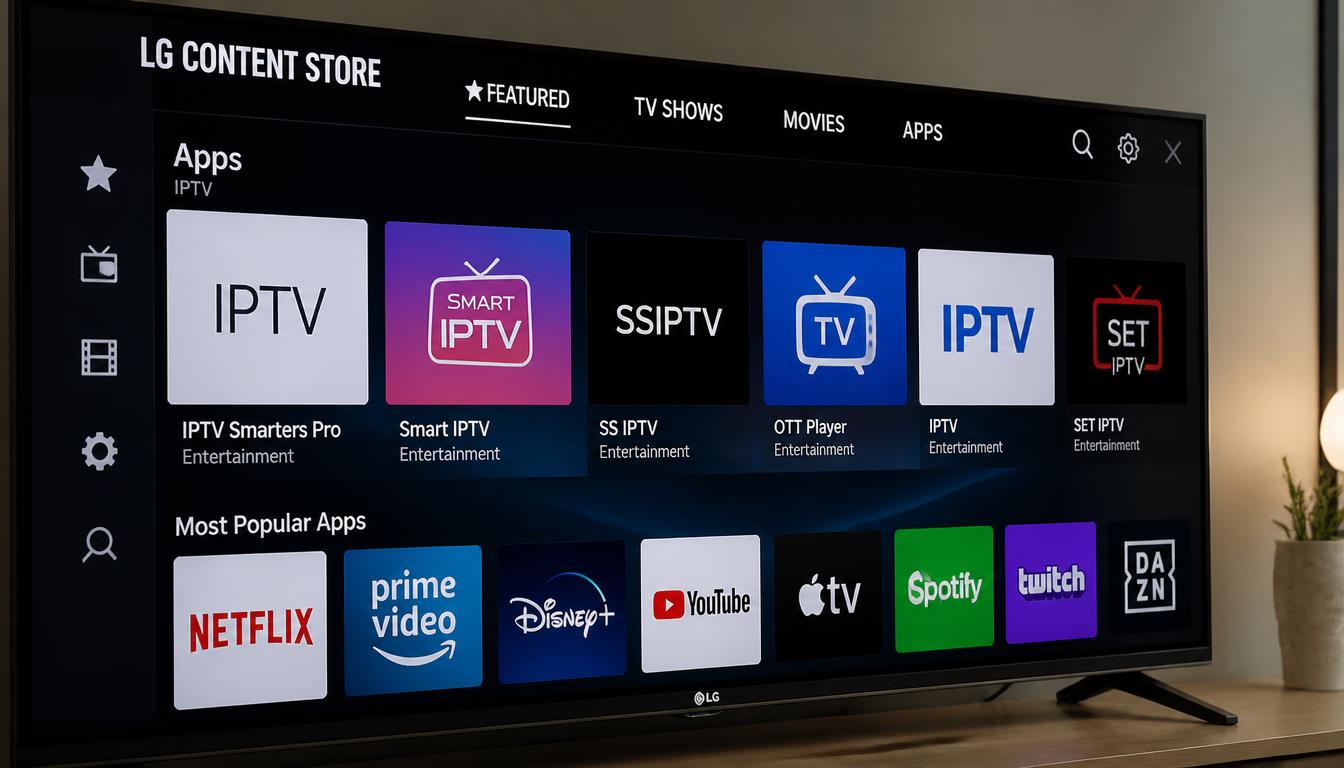
The LG Content Store provides direct access to various IPTV players. While not as extensive as Android TV, it offers well-optimized apps for webOS.
5. 4K HDR Capability
LG Smart TVs support 4K Ultra HD and HDR10+, Dolby Vision, and Dolby Atmos, delivering premium IPTV viewing experiences.
Understanding webOS
webOS is LG's proprietary operating system for Smart TVs. Understanding webOS is important for setting up IPTV:
Key Facts
webOS is not Android TV. Android TV uses the Google Play Store and supports Android APK files. webOS uses the LG Content Store and supports only webOS-compatible apps.
You cannot install Android apps on LG Smart TV. TiviMate, Kodi, and other Android-only IPTV players are not available on webOS. You must use webOS-compatible apps.
webOS Versions
| Version | Year | Key Features |
|---|---|---|
| webOS 2.0 | 2015 | Basic app support |
| webOS 3.0 | 2016-2017 | Enhanced performance |
| webOS 4.0 | 2018 | Improved app ecosystem |
| webOS 5.0 | 2019-2020 | Multi-view support |
| webOS 6.0 | 2021-2022 | Faster interface |
| webOS 7.0 | 2023-2024 | Improved search |
| webOS 8.0 | 2025-2026 | Latest features |
Important Considerations
- Region differences: The LG Content Store varies by country. Some apps may not be available in your region.
- TV model: Newer TVs (2021+) support more apps and features.
- Internet connection: IPTV apps require a stable internet connection (25+ Mbps for HD, 50+ Mbps for 4K).
What Makes a Great IPTV App for LG Smart TV?
1. webOS Compatibility The app must be compatible with LG's webOS. Apps that work on Android TV will not work on LG Smart TVs.
2. EPG (Electronic Program Guide) A functional program guide transforms the viewing experience. The best apps display accurate "now playing" and upcoming program information.
3. 4K HDR Support For LG TV users with 4K-capable devices, genuine 4K UHD streams make a significant difference. Look for apps that support HEVC/H.265 decoding.
4. Playlist Management The ability to manage multiple playlists, organize channels into groups, and create favorites lists is crucial for a good user experience.
5. Magic Remote Optimization LG TV apps should be optimized for the Magic Remote. A clean interface with point-and-click navigation makes a significant difference.
6. Ease of Installation Apps available directly in the LG Content Store are preferable. Sideloading is limited on webOS, so app store availability is essential.
7. M3U and Xtream Support The best apps support both M3U URLs and Xtream Codes API, giving you flexibility with your IPTV service.
Top IPTV Apps for LG Smart TV Compared
1. IBO Player — Best Overall for LG webOS
Rating: ⭐⭐⭐⭐⭐ (5/5)
IBO Player is our top recommendation for LG Smart TV users. It's specifically designed for webOS and offers excellent integration with the Magic Remote.
Overview: IBO Player is a premium IPTV player built for LG Smart TVs. It offers a clean, intuitive interface with excellent EPG support and reliable playback.
Key Features:
- Designed specifically for webOS
- Excellent EPG with grid and list views
- Multi-playlist management
- 4K HDR support
- Magic Remote optimized
- Recording capabilities
- Favorites management
- Parental controls
- Backup and restore
Pros:
- Optimized for LG webOS
- Clean, modern interface
- Reliable performance
- Excellent EPG
- Good customer support
Cons:
- Premium pricing
- Not available in all regions
Pricing: Premium / Varies by region
Ease of Setup: ⭐⭐⭐⭐ (4/5) — Content Store installation, configuration required
Best For: LG Smart TV users who want the best IPTV experience and are willing to pay for premium features.
2. IPTV Smarters Pro — Best Free Alternative
Rating: ⭐⭐⭐⭐ (4.8/5)
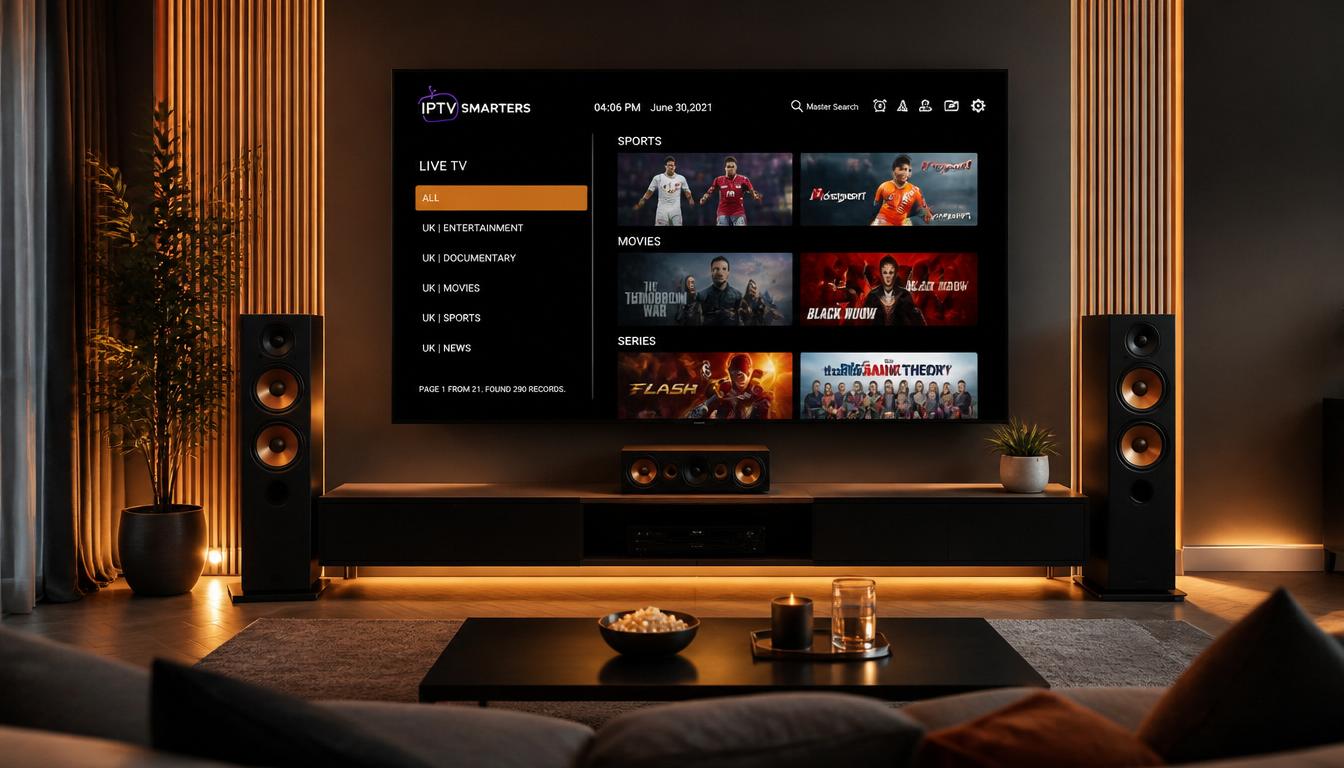
IPTV Smarters Pro is the most popular free IPTV player available in the LG Content Store. It offers good functionality at no cost.
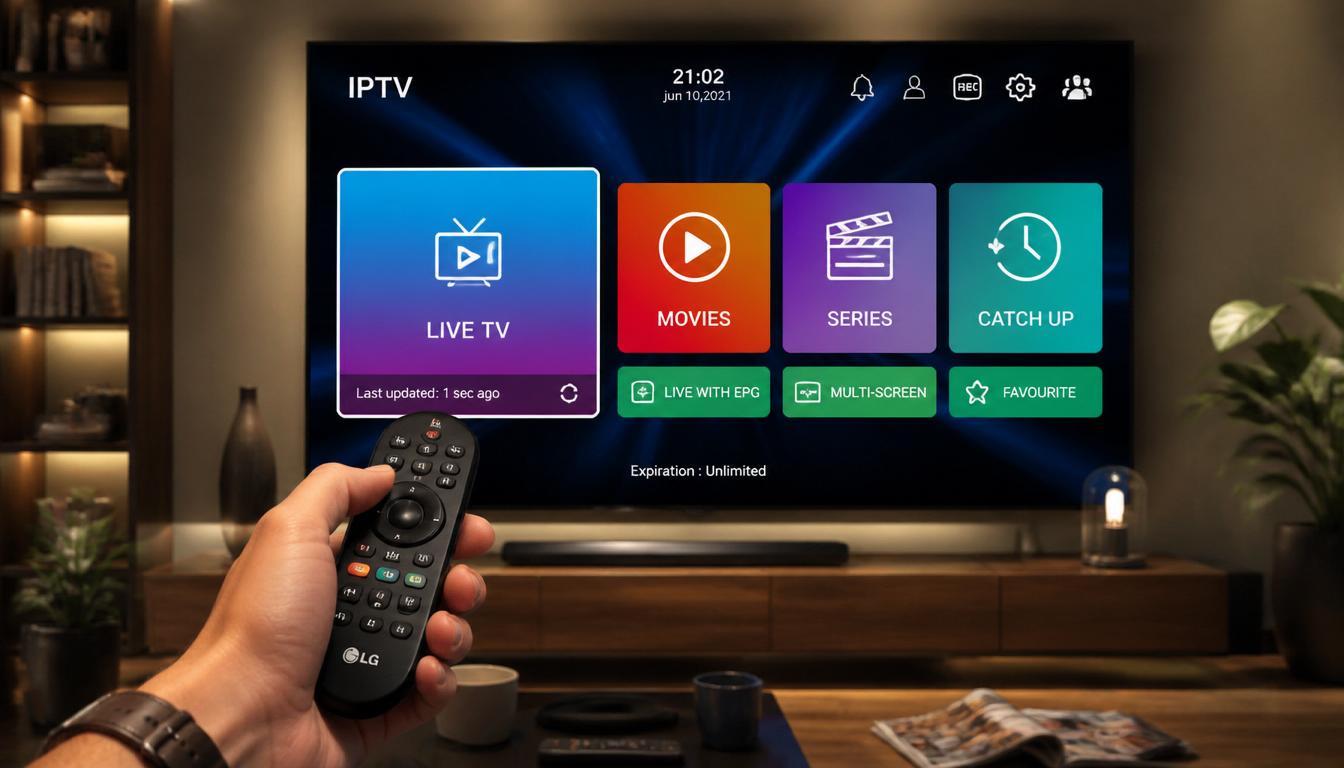
Overview: IPTV Smarters Pro supports both M3U URLs and Xtream Codes login. Its clean organization of Live TV, Movies, Series, and Catch-Up sections makes it easy to navigate on LG Smart TVs.
Key Features:
- Organizes channels into Live TV, Movies, Series, and Catch-Up sections
- Clean Xtream Codes API integration
- EPG grid and list views
- Parental controls with PIN-protected content restrictions
- Modern, remote-friendly interface
- Built-in player with hardware acceleration
- Multi-screen support (Premium)
- Recording functionality (Premium)
Pros:
- Available in LG Content Store
- Works with most IPTV services
- Free version available
- Regular updates
- Good user interface
Cons:
- Premium features require payment
- Less polished EPG than IBO Player
- Free version includes ads
Pricing: Free / Premium version varies
Ease of Setup: ⭐⭐⭐⭐⭐ (5/5) — Content Store installation, under 60 seconds to load playlist
Best For: LG Smart TV users who want a reliable, feature-rich IPTV player at no cost.
3. Smart IPTV (SIPTV) — Most Popular Choice
Rating: ⭐⭐⭐⭐ (4.6/5)
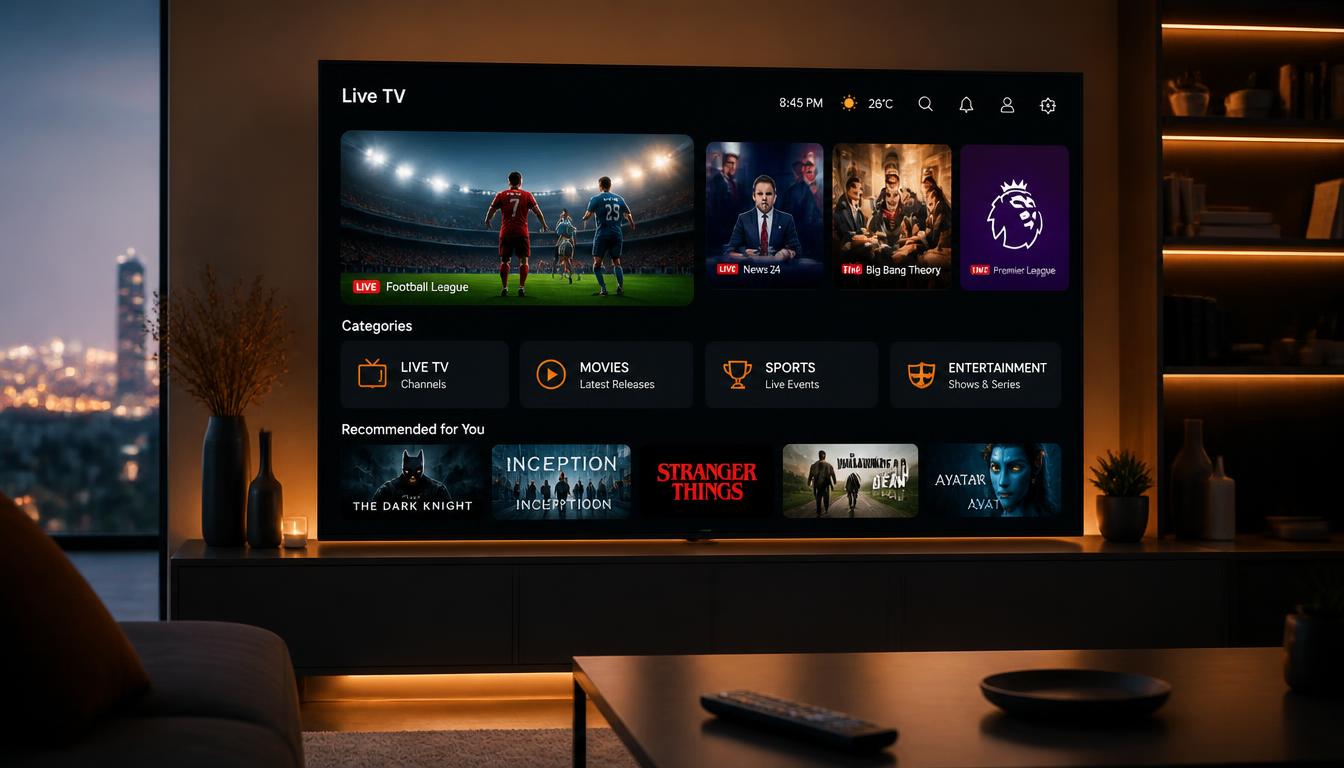
Smart IPTV (often called SIPTV) is one of the most popular IPTV players for LG Smart TVs. It's been around for years and is known for its stability.
Overview: Smart IPTV is a dedicated IPTV player available in the LG Content Store. It focuses on reliable M3U playlist playback with good EPG support.
Key Features:
- M3U playlist support
- EPG (XMLTV) support
- Multi-playlist support
- Favorites management
- Channel grouping
- Parental controls
- Auto-update playlists
Pros:
- Very stable
- Long track record
- Works on most LG TVs
- Active user community
Cons:
- Interface feels dated
- Limited features compared to newer apps
- Free version limited to 1 playlist
Pricing: Trial / Premium one-time payment
Ease of Setup: ⭐⭐⭐⭐ (4/5) — Content Store installation, playlist upload required
Best For: Users who want a proven, stable IPTV player with minimal setup.
4. SET IPTV — Reliable Alternative
Rating: ⭐⭐⭐⭐ (4.4/5)
SET IPTV is a reliable player available in the LG Content Store, offering a good balance of features and usability.
Overview: SET IPTV focuses on providing a stable viewing experience with essential features. It's a solid alternative to more popular options.
Key Features:
- Channel grouping and favorites
- EPG support
- Multi-language support
- Parental controls
- Playlist management
- M3U and Xtream support
Pros:
- Good performance
- Available in LG Content Store
- Simple interface
- Reliable playback
Cons:
- Fewer advanced features
- Interface less modern
- Limited customization
Pricing: Free / Premium version available
Ease of Setup: ⭐⭐⭐⭐ (4/5)
Best For: Users who want a no-fuss IPTV player with reliable performance.
5. Flix IPTV — Best for Beginners
Rating: ⭐⭐⭐⭐ (4.3/5)
Flix IPTV is a popular free IPTV player available in the LG Content Store. It offers good functionality at no cost.
Overview: Flix IPTV focuses on simplicity and reliability, making it a good choice for casual viewers who don't want to pay for premium features.
Key Features:
- Clean, simple interface
- EPG support
- Favorites management
- Multi-language support
- Regular updates
Pros:
- Completely free
- Available in LG Content Store
- Easy to use
- Good for beginners
Cons:
- Limited features compared to premium alternatives
- May have occasional ads
- Less polished interface
Pricing: Free
Ease of Setup: ⭐⭐⭐⭐⭐ (5/5) — Content Store installation, load playlist, start watching
Best For: Budget-conscious users who want a free IPTV player with good basic functionality.
6. SS IPTV — Best for Advanced Users
Rating: ⭐⭐⭐⭐ (4.2/5)
SS IPTV is a free IPTV player designed for advanced users who want more control over their IPTV experience.
Overview: SS IPTV offers advanced features for users who want maximum control over their IPTV setup. It supports multiple playlists and advanced EPG configuration.
Key Features:
- Multiple playlist support
- Advanced EPG configuration
- Custom channel groups
- Favorites management
- Parental controls
- Playlist editing
Pros:
- Free
- Advanced features
- Good for power users
- Active development
Cons:
- Complex setup
- Interface less user-friendly
- Not ideal for beginners
Pricing: Free
Ease of Setup: ⭐⭐⭐ (3/5) — More complex setup required
Best For: Advanced users who want maximum control over their IPTV setup.
Comparison Table
| App | Best For | Price | webOS | EPG | Xtream | M3U | Rating |
|---|---|---|---|---|---|---|---|
| IBO Player | Overall | Premium | ✓ | ✓ | ✓ | ✓ | 5/5 |
| IPTV Smarters Pro | Free Alternative | Free / Premium | ✓ | ✓ | ✓ | ✓ | 4.8/5 |
| Smart IPTV | Stability | Trial / Premium | ✓ | ✓ | ✗ | ✓ | 4.6/5 |
| SET IPTV | Reliability | Free / Premium | ✓ | ✓ | ✓ | ✓ | 4.4/5 |
| Flix IPTV | Beginners | Free | ✓ | ✓ | ✓ | ✓ | 4.3/5 |
| SS IPTV | Advanced Users | Free | ✓ | ✓ | ✓ | ✓ | 4.2/5 |
Feature Comparison Table
| App | Playlist | Xtream | EPG | Catch-up | Recording | Multi Playlist | Magic Remote |
|---|---|---|---|---|---|---|---|
| IBO Player | ✓ | ✓ | ✓ | ✓ | ✓ | ✓ | ✓ |
| IPTV Smarters Pro | ✓ | ✓ | ✓ | ✓ | ✓ | ✓ | ✓ |
| Smart IPTV | ✓ | ✗ | ✓ | ✗ | ✗ | ✓ | ✓ |
| SET IPTV | ✓ | ✓ | ✓ | ✗ | ✗ | ✓ | ✓ |
| Flix IPTV | ✓ | ✓ | ✓ | ✗ | ✗ | ✓ | ✓ |
| SS IPTV | ✓ | ✓ | ✓ | ✗ | ✗ | ✓ | ✓ |
Score Comparison
| Category | IBO Player | IPTV Smarters Pro | Smart IPTV | SET IPTV |
|---|---|---|---|---|
| Ease of Setup | 8.5/10 | 9.8/10 | 9.0/10 | 9.0/10 |
| Performance | 9.8/10 | 9.5/10 | 9.2/10 | 9.2/10 |
| Features | 9.8/10 | 9.5/10 | 8.5/10 | 8.5/10 |
| EPG | 9.8/10 | 9.2/10 | 9.0/10 | 8.5/10 |
| Stability | 9.5/10 | 9.4/10 | 9.5/10 | 9.2/10 |
Best Free IPTV Apps for LG Smart TV
1. IPTV Smarters Pro
The free version offers:
- Live TV, Movies, Series, and Catch-Up sections
- EPG support
- Parental controls
- Remote-friendly interface
Limitations: Ads and limited premium features.
2. Flix IPTV
The free version offers:
- Clean interface
- EPG support
- Favorites management
- Multi-language support
Limitations: Fewer features than premium alternatives.
3. SS IPTV
The free version offers:
- Advanced features
- Multiple playlist support
- EPG configuration
Limitations: Complex setup, not ideal for beginners.
Best Premium IPTV Apps for LG Smart TV
1. IBO Player
- Advanced EPG
- Multiple playlist management
- Recording capabilities
- Extensive customization options
- Magic Remote optimized
Best For: Users who want the best IPTV experience on LG Smart TV.
2. IPTV Smarters Pro (Premium)
- Ad-free experience
- Multi-screen support
- Recording functionality
- Advanced EPG features
Best For: Users who want the most popular app with premium features.
3. Smart IPTV
- Stable performance
- One-time payment
- Multi-playlist support
Best For: Users who want a stable, proven IPTV player.
How to Install IPTV on LG Smart TV
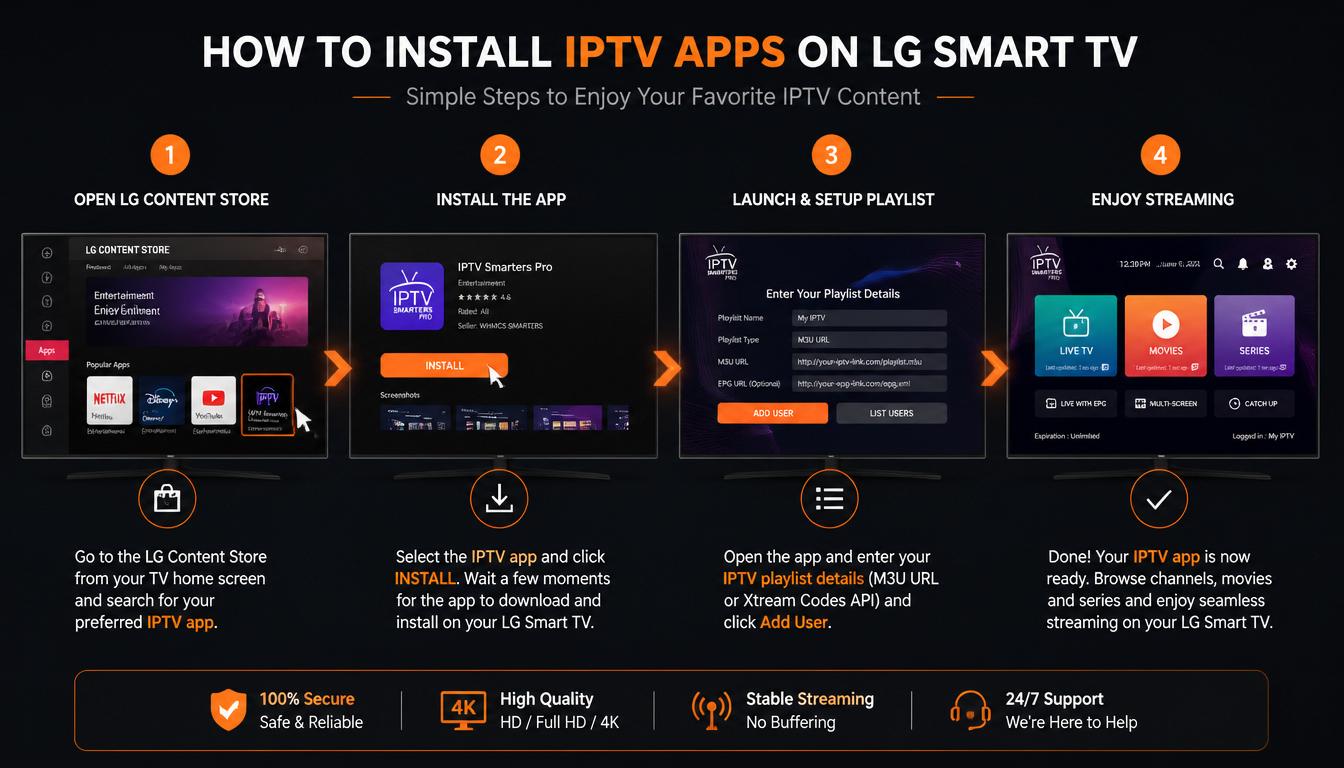
Step 1: Access LG Content Store
Press the Home button on your LG Magic Remote. Navigate to the LG Content Store icon and select it.
Step 2: Search for Your Chosen IPTV App
Use the search function to find the app you want:
- For IBO Player: Type "IBO Player"
- For IPTV Smarters Pro: Type "IPTV Smarters Pro"
- For Smart IPTV: Type "Smart IPTV"
Step 3: Install the App
Select the app from the search results and click Install. Wait for the installation to complete.
Step 4: Launch the App
After installation, select Launch to open the app.
Step 5: Configure with Your Credentials
Open the app and enter your IPTV subscription credentials:
- Xtream Codes API: Enter username, password, and server URL
- M3U URL: Enter the playlist URL from your provider
Step 6: Start Watching
Once credentials are verified, your channel library will load automatically. Use your Magic Remote to navigate channels and start watching.
Important Notes
Region differences: App availability varies by region. If an app isn't available in your country's LG Content Store, try alternative apps.
webOS limitations: LG Smart TVs run webOS, not Android. You cannot install Android APK files. Use only webOS-compatible apps.
Internet connection: For the best experience, connect your LG TV via wired Ethernet instead of Wi-Fi.
Performance Comparison
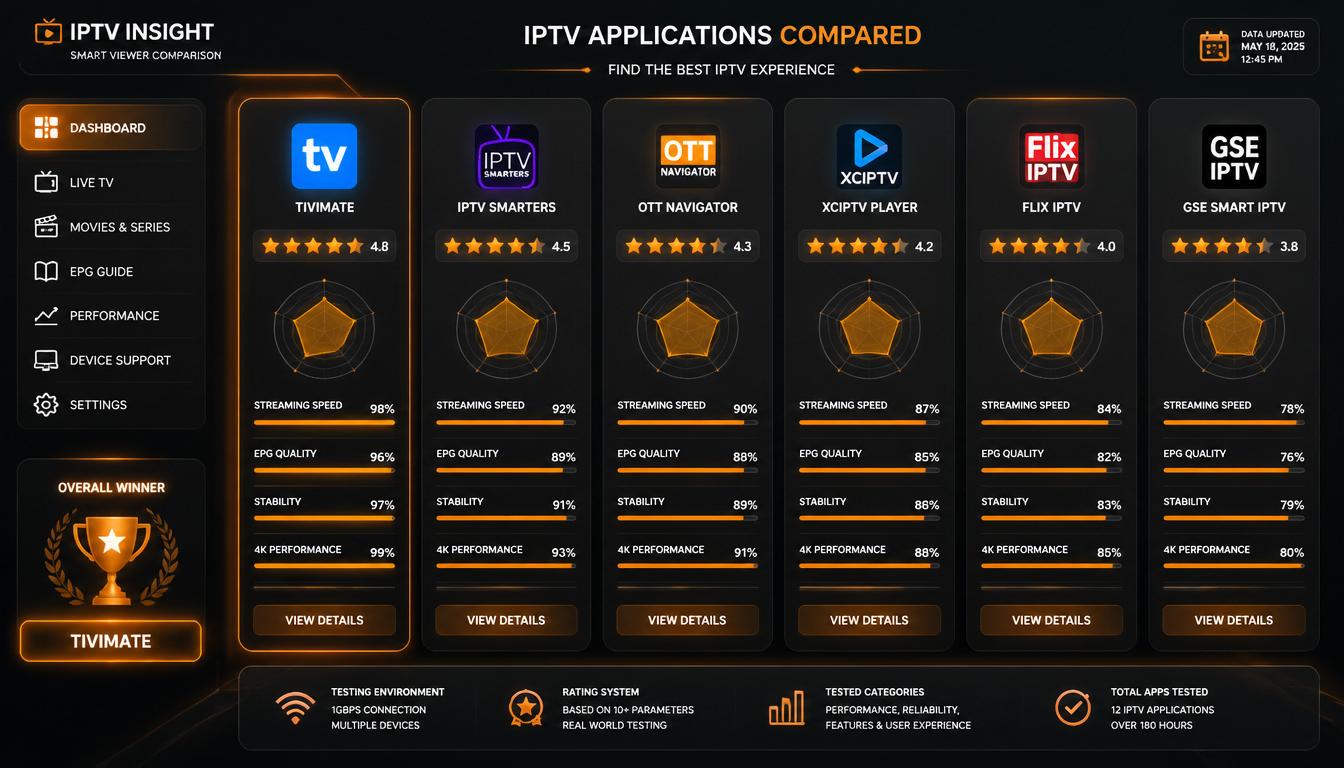
| App | Channel Switching Speed | EPG Loading | 4K Performance | Stability |
|---|---|---|---|---|
| IBO Player | Fast | Excellent | Excellent | Excellent |
| IPTV Smarters Pro | Fast | Good | Good | Excellent |
| Smart IPTV | Moderate | Good | Good | Excellent |
| SET IPTV | Moderate | Reliable | Good | Good |
Which App Is Best for Beginners?
Recommendation: IPTV Smarters Pro
IPTV Smarters Pro is the best choice for beginners because:
- Available directly in LG Content Store
- Clean, intuitive interface
- Simple setup process
- Works with most IPTV services
- Free version available
Which App Is Best for Power Users?
Recommendation: IBO Player
IBO Player is the best choice for power users because:
- Built specifically for webOS
- Advanced EPG with grid views
- Multi-playlist management
- Recording capabilities
- Extensive customization options
- Excellent 4K HDR performance
Troubleshooting Common Issues
Problem: App Not Available in LG Content Store
Possible Causes: Regional restrictions, app not available in your country
Solutions:
- Try alternative apps (Flix IPTV or SET IPTV)
- Update your LG TV firmware
- Factory reset as last resort
Problem: Channels Not Loading
Possible Causes: Expired subscription, incorrect playlist URL, or app cache corruption
Solutions:
- Check subscription is active
- Force-close and reopen the app
- Re-enter M3U URL or Xtream Codes credentials
Problem: Buffering During Live Events
Possible Causes: Wi-Fi interference, insufficient bandwidth, or provider server overload
Solutions:
- Switch from Wi-Fi to Ethernet
- Test internet speed (need 25+ Mbps for HD, 50+ for 4K)
- Reduce quality from 4K to HD temporarily
Problem: EPG Guide Not Showing Schedules
Possible Causes: Incorrect URL, outdated data, or timezone mismatch
Solutions:
- Verify EPG URL is correct
- Force an EPG refresh in app settings
- Wait up to 24 hours for full EPG population
Problem: App Crashes or Freezes
Possible Causes: Outdated app version, corrupted cache, or insufficient memory
Solutions:
- Update app via LG Content Store
- Clear app cache
- Uninstall and reinstall cleanly
- Close background apps before launching
Frequently Asked Questions
What is the best IPTV app for LG Smart TV?
IBO Player is our top recommendation for LG Smart TVs due to its excellent integration with webOS, clean interface, and reliable performance. IPTV Smarters Pro is the best free alternative.
Can I install IPTV Smarters on LG Smart TV?
Yes. IPTV Smarters Pro is available in the LG Content Store. Simply search for "IPTV Smarters Pro" and install it directly.
Which IPTV app works best with LG webOS?
IBO Player works best with LG webOS, offering excellent compatibility and Magic Remote support. IPTV Smarters Pro is the best free option for webOS.
Are LG IPTV apps free?
Some LG IPTV apps are free (Flix IPTV, IPTV Smarters Pro free version), while others are premium (IBO Player). Free versions typically include ads and limited features.
How do I install IPTV on LG Smart TV?
- Press Home on your remote
- Navigate to LG Content Store
- Search for your chosen IPTV app
- Click Install
- Open the app and enter your credentials
What is the best free IPTV app for LG TV?
IPTV Smarters Pro is the best free IPTV app for LG TV. Flix IPTV is also a good free alternative for beginners.
Can I watch 4K IPTV on LG Smart TV?
Yes. Most modern LG Smart TVs (2020+) support 4K UHD streaming. You need an IPTV service that offers 4K streams and a compatible app like IBO Player or IPTV Smarters Pro.
What internet speed do I need for IPTV on LG TV?
For HD streaming, minimum 25 Mbps. For 4K HDR streaming, aim for 50+ Mbps. Test your speed at Fast.com before subscribing.
Why can't I install IPTV apps on my LG TV?
If an app isn't available in your LG Content Store, it may not be compatible with your TV model or region. Try alternative apps or check for updates.
Is Samsung Tizen compatible with IPTV?
This guide covers LG webOS. For Samsung TV IPTV apps, see our Best IPTV Apps for Samsung Smart TV guide.
How We Tested These IPTV Apps
Every IPTV app in this guide was evaluated on LG Smart TVs running webOS 5.0 and above.
We compared:
- Installation process
- Playlist support
- Xtream Codes compatibility
- M3U support
- EPG performance
- 4K playback
- Stability
- Magic Remote navigation
- Interface speed
- Overall usability
Testing was performed using LG TVs from 2020–2026 with multiple IPTV providers.
Read Also
- Best IPTV Apps for Samsung Smart TV 2026
- Best IPTV Apps for Firestick 2026
- Best IPTV Players for Android TV 2026
- Best IPTV Providers in 2026 — Complete Guide
Author
Abdelwahab Albarkan Streaming Expert & Technical Writer
Abdelwahab Albarkan has spent the last four years testing IPTV platforms, streaming devices, and live TV solutions. His guides focus on streaming quality, device compatibility, and user experience. He specializes in helping viewers find reliable streaming options that deliver consistent 4K HDR quality. Last fact-checked: July 2026
Final Verdict
Finding the right IPTV app for your LG Smart TV depends on your specific needs, budget, and technical comfort level.
After testing multiple IPTV players on LG Smart TVs, IBO Player remains the most balanced option, while IPTV Smarters Pro is ideal for users looking for a free alternative. Your final experience will also depend on the quality of the IPTV provider you choose.
Quick Recommendations
- Best overall: IBO Player — optimized for webOS with advanced features
- Best free: IPTV Smarters Pro — reliable, feature-rich, and free
- Best for stability: Smart IPTV (SIPTV) — proven, reliable performance
- Best for beginners: IPTV Smarters Pro — easy setup and intuitive interface
- Best for power users: IBO Player — advanced features and customization
Final Recommendations
When choosing an IPTV app for your LG Smart TV, prioritize these factors:
- webOS compatibility — Choose apps available in LG Content Store
- EPG quality — Good program guide makes browsing channels enjoyable
- 4K HDR support — Essential for making the most of your LG TV's capabilities
- Magic Remote optimization — Apps designed for LG's remote
- Regular updates — Ensures compatibility with your LG TV's webOS updates
Remember: The app is only part of the equation. A quality IPTV service with stable servers and optimized streams makes all the difference. Combine the right app with the right service, and your LG Smart TV becomes a complete cable replacement.
Looking for a reliable IPTV subscription for your LG Smart TV?
STREAMB4 Premium IPTV delivers over 50,000 live channels, 180,000+ movies & series, and instant activation. No contracts. Plans start at just $5.83/month.
Start Streaming on LG Smart TV Today
Visit STREAMB4 to explore plans and begin your IPTV journey in under 10 minutes.
[Get Started Now →](https://streamb4.com