Best IPTV Apps for Apple TV in 2026 (Tested & Ranked)
Looking for the best IPTV apps for Apple TV in 2026? This complete guide covers free and premium players, installation steps, performance comparisons, and expert recommendations.
Last Updated: August 2026 Reviewed by: STREAMB4 Editorial Team Reading Time: 17 minutes
Best IPTV Apps for Apple TV in 2026
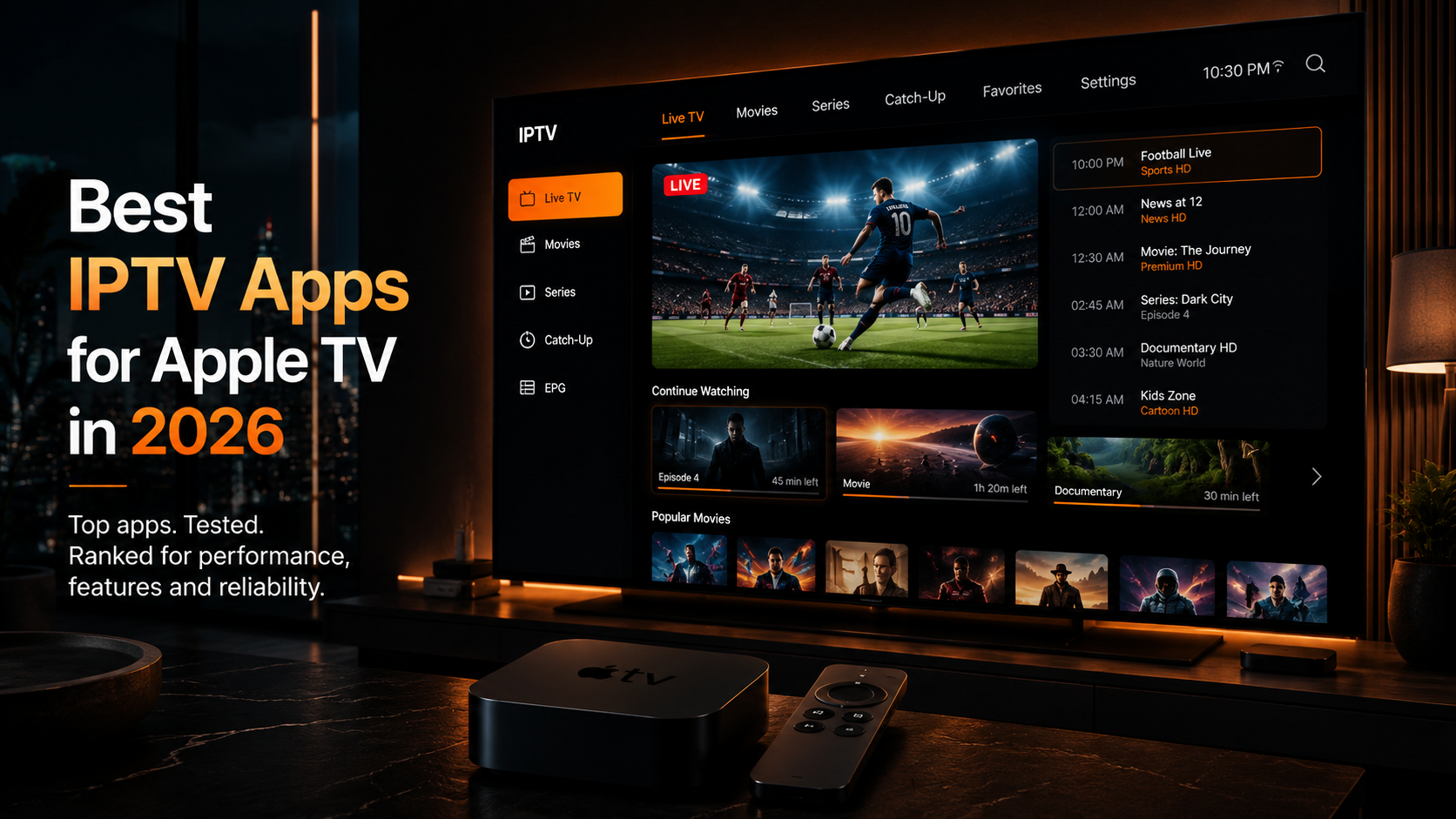
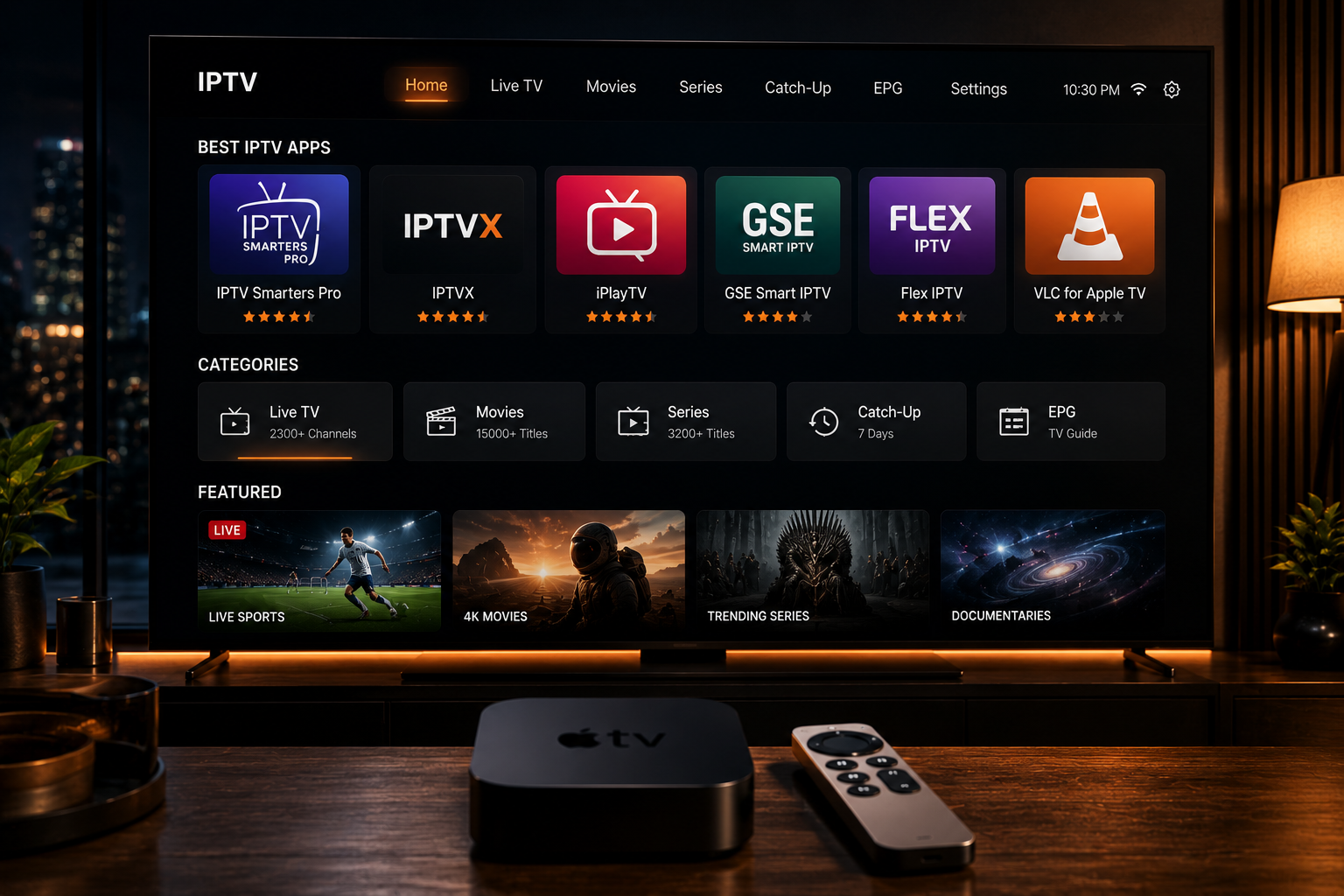
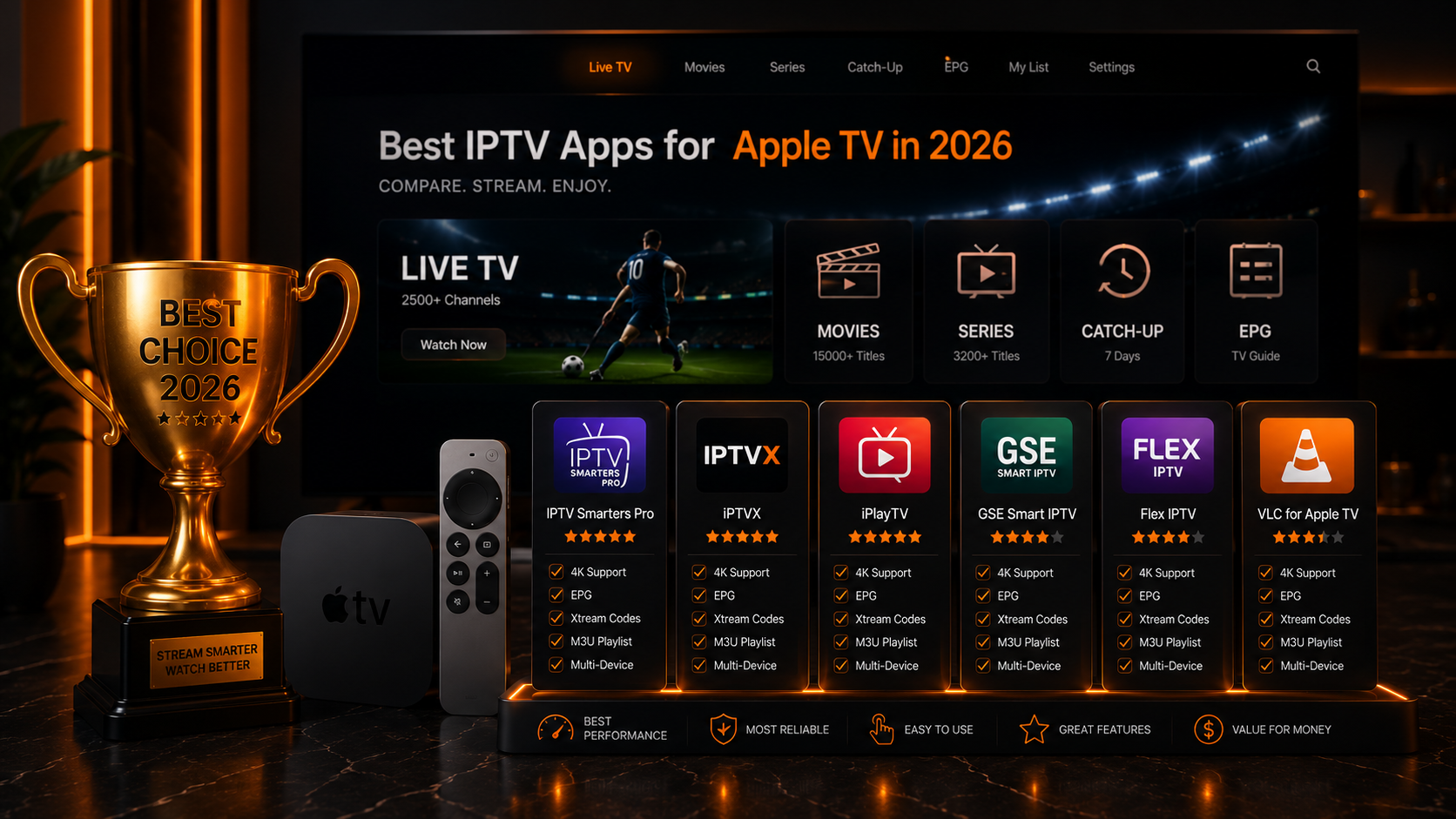
If you're looking for the best IPTV app for Apple TV, IPTV Smarters Pro is our top recommendation for power users thanks to its multi-screen support, external player options, and granular control. IPTVX offers the best premium tvOS-native experience with cloud sync and a polished interface. For a free start, GSE Smart IPTV provides excellent format flexibility.
Quick Summary
💡 Key Takeaways
✔ Best overall (power users): IPTV Smarters Pro — most configurable, multi-screen, external player support ✔ Best premium UX: IPTVX — clean tvOS-native design, fast navigation, cloud sync ✔ Best native Apple option: iPlayTV — optimized for tvOS, reliable EPG and catch-up ✔ Best free-to-start: GSE Smart IPTV — strong format support and flexibility ✔ Best lightweight: Cloud Stream IPTV and VLC for basic needs
Table of Contents
- What Is IPTV on Apple TV?
- Why Apple TV is One of the Best Streaming Devices for IPTV
- Top IPTV Apps for Apple TV Compared
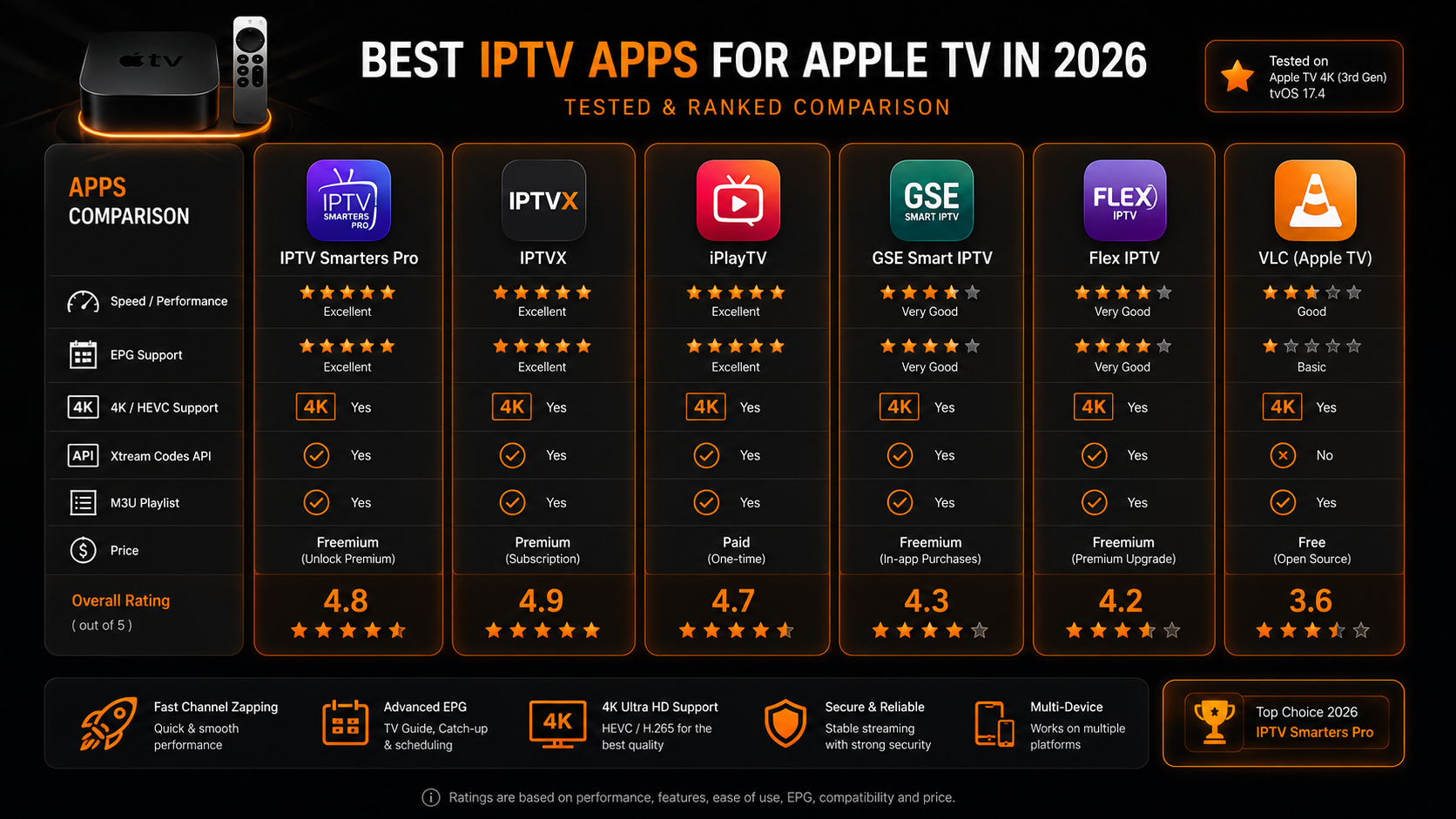
- Comparison Table
- How to Install IPTV on Apple TV
- Best Free IPTV Apps
- Best Premium IPTV Apps
- Best App for Beginners
- Best App for Power Users
- Performance Comparison & Recommended Settings
- Common Problems & Troubleshooting
- How We Tested These Apps
- Why You Can Trust STREAMB4
- Expert Recommendations
- Frequently Asked Questions
- Final Verdict
What Is IPTV on Apple TV?
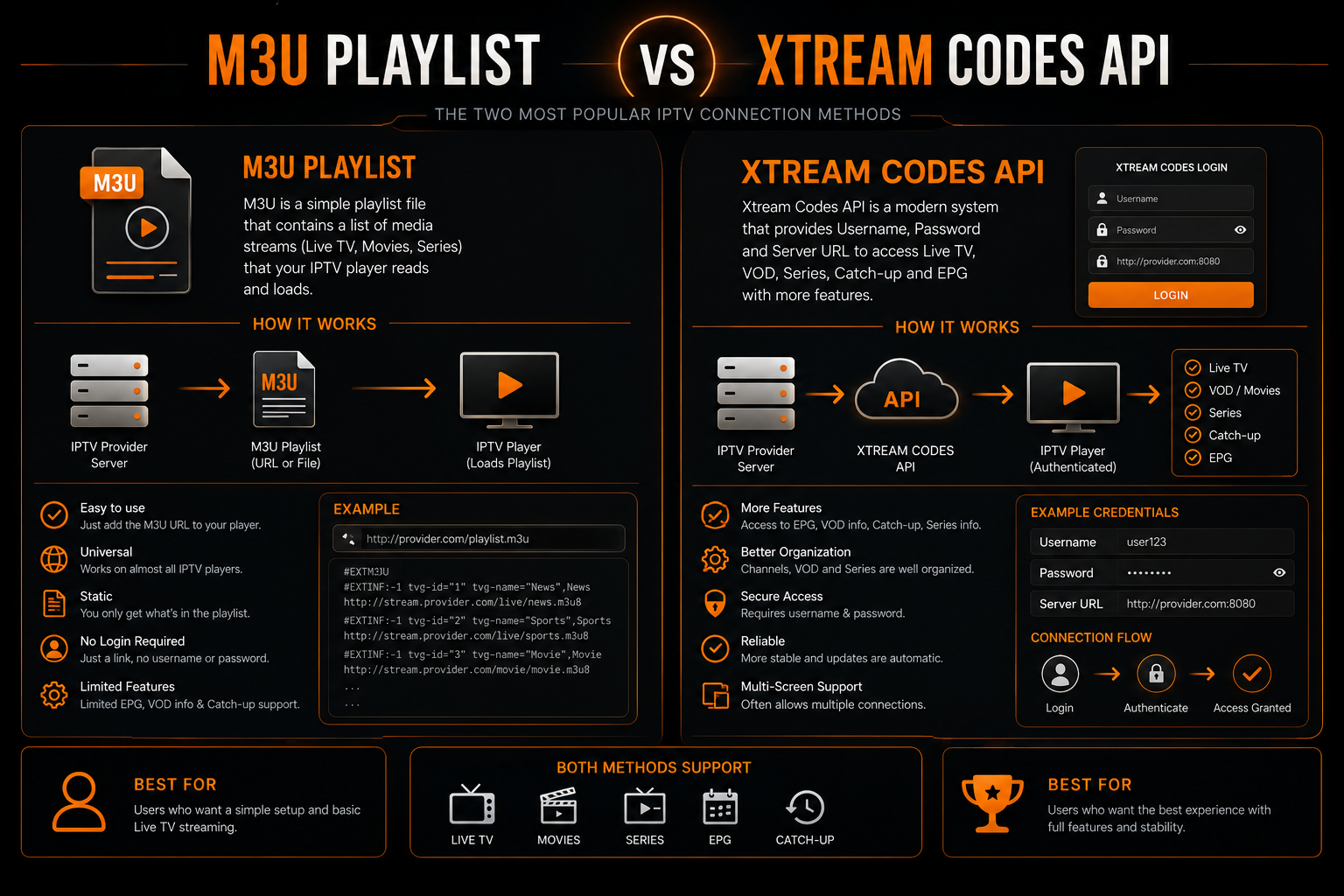
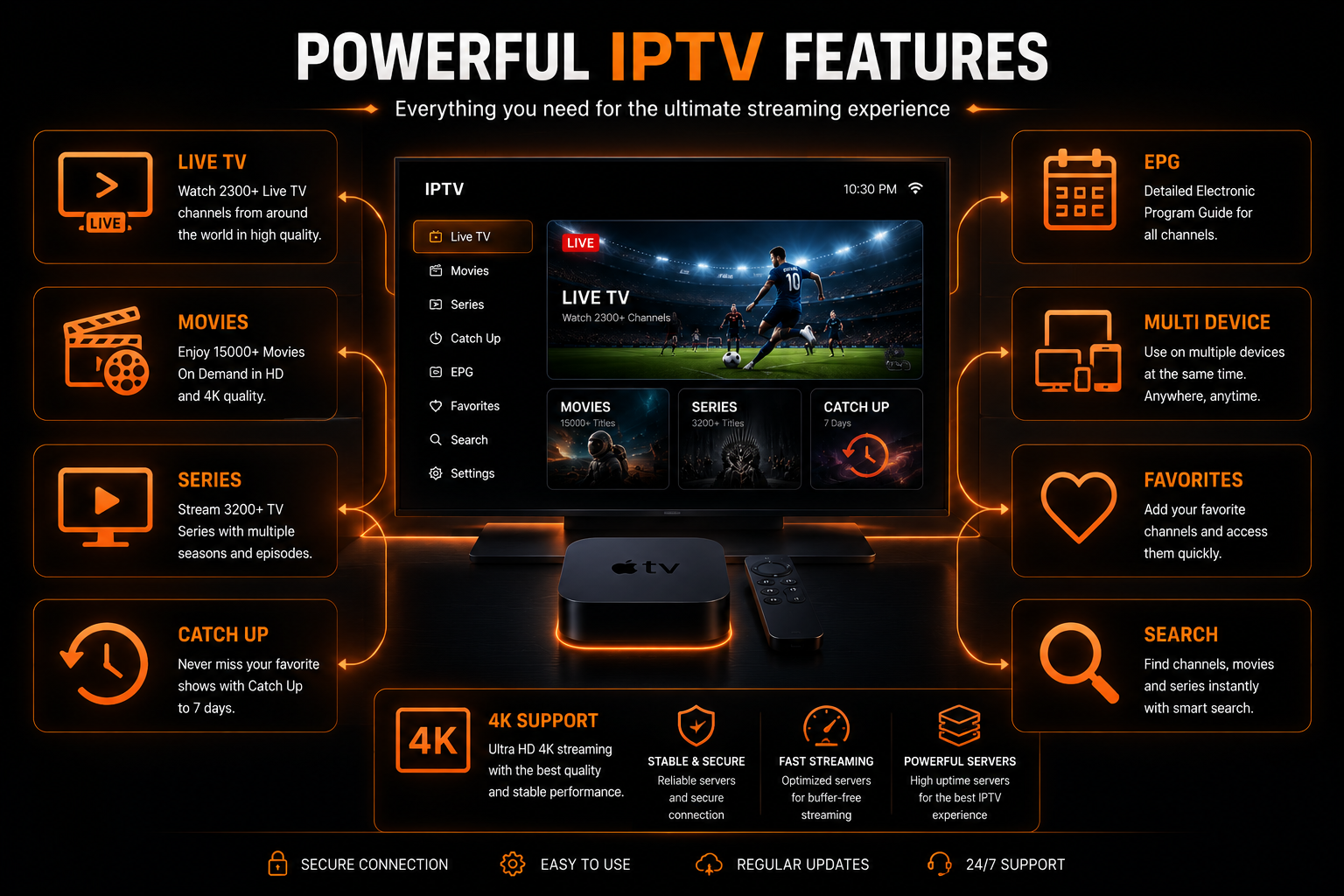
IPTV (Internet Protocol Television) delivers television channels and video-on-demand content over IP-based networks. On Apple TV, you use an app (player) that consumes either:
- M3U playlists: Plain-text lists of stream URLs
- Xtream Codes API: Username/password/server combo that returns channel lists + EPG
The app decodes streams (H.264, H.265/HEVC, AAC/AC3) and renders them hardware-accelerated on Apple TV for smooth playback.
Why Apple TV is One of the Best Streaming Devices for IPTV
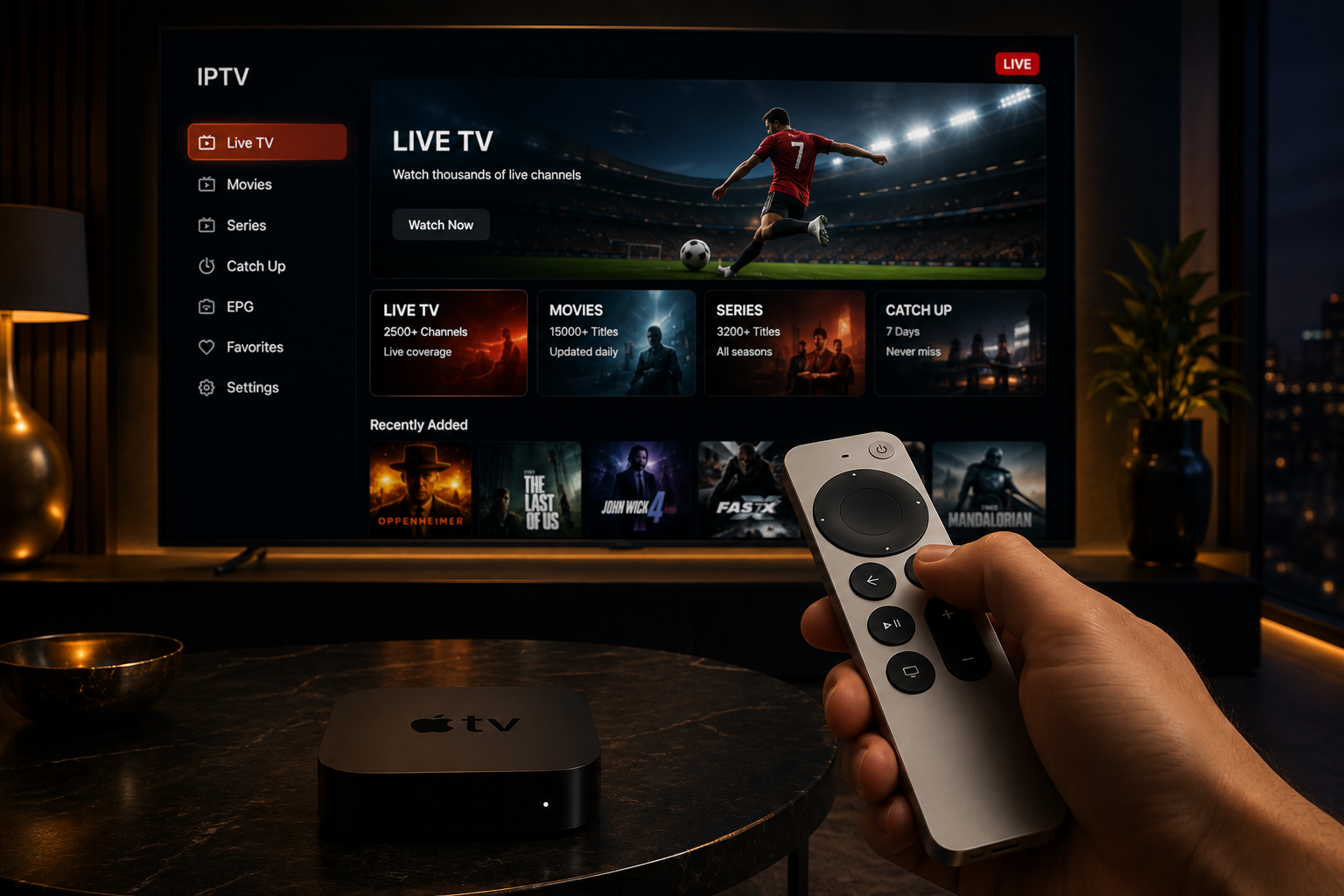
Apple TV is a top-tier platform for streaming because of its stable tvOS, powerful SoC (Apple Silicon), and polished UX. IPTV players turn Apple TV into a universal receiver for your IPTV service — live channels, catch-up, VOD — but not all players are equal.
Key Advantages:
- Powerful hardware: 4K decoding, HEVC, and emerging AV1 support
- tvOS app sandboxing: Stable apps with fewer crashes
- Native AirPlay, Siri, and polished remote UX: Seamless integration with Apple ecosystem
- Ethernet + Wi‑Fi 6 support: Low-latency streaming
- Regular OS updates: Strong codec/hardware acceleration
- Hardware-accelerated decoding: Efficient playback with lower power consumption
Top IPTV Apps for Apple TV Compared
1. IPTV Smarters Pro — Best for Power Users
Rating: ⭐⭐⭐⭐⭐ (5/5)
IPTV Smarters Pro is a highly configurable player built to support both M3U and Xtream Codes workflows, multi-user profiles, VOD, and multi-screen.
Overview: IPTV Smarters Pro is the most feature-rich IPTV player available on Apple TV. It supports both M3U and Xtream Codes workflows, multiple user profiles, VOD, and multi-screen viewing.
Key Features:
- Adaptive streaming and hardware-accelerated HEVC on Apple TV
- Multi-screen support for multiple simultaneous streams
- Multiple user profiles with separate EPG and favorites
- XMLTV & JSON EPG sources with channel mapping and EPG offset
- Subtitle & audio track switching
- Parental controls + PIN-protected profiles
- External player via URL scheme and Chromecast/AirPlay handoff
- Built-in diagnostics with stream error logs and bitrate display
Pros:
- Extremely flexible — ideal for advanced users and multi-room setups
- Good 4K HEVC support when Apple TV hardware allows
- Strong EPG and catch-up support
- Regular updates
Cons:
- UI can feel dense for new users (settings-heavy)
- Features require careful tuning for large playlists
Pricing: Free with optional premium features unlock
Ease of Setup: Moderate — supports M3U URL paste, file import, or Xtream Codes login
Best For: Apple TV users who want maximum control and configuration options.
2. IPTVX — Best Premium UX
Rating: ⭐⭐⭐⭐⭐ (5/5)
IPTVX is positioned as a premium, tvOS-native app with a focus on aesthetics and speed.
Overview: IPTVX offers a beautiful Apple-inspired interface with smooth animations and intuitive navigation. It's built with native Swift/tvOS implementation for buttery UX and minimal overhead.
Key Features:
- Native Swift/tvOS implementation for optimal performance
- Fast channel grid caching, instant search, and smart prefetching
- Cloud sync for user settings and favorites across devices
- Smooth 4K support and AV1 decode handling on supported hardware
- Visually rich EPG with easy scheduling and reminders
Pros:
- Best visual experience; extremely polished
- Fast load times and responsive navigation
- Cloud sync across devices
Cons:
- Premium subscription required for full features
- Some advanced user controls hidden to preserve simplicity
Pricing: Free download, subscription for premium features
Ease of Setup: Very easy — guided onboarding and optional account for cloud features
Best For: Apple TV users who want the best visual experience and premium UX.
3. iPlayTV — Best Native Apple Experience
Rating: ⭐⭐⭐⭐ (4.8/5)
iPlayTV is designed specifically for Apple devices with a polished tvOS interface and reliable playback.
Overview: iPlayTV offers a native tvOS design language and remote interactions, making it feel like a built-in Apple app. It's optimized for Apple TV with deep EPG parsing and seamless catch-up playback.
Key Features:
- Native tvOS design language and remote interactions
- EPG-first approach with multi-language EPG support
- Picture-in-Picture (PIP) support for multitasking
- Smooth channel transitions and consistent bitrate adaptation
- Intelligent channel matching to EPG using heuristics
Pros:
- Excellent UX for Apple TV users
- Stable long-running playback sessions
- Consistent updates
- One-time purchase (no subscription)
Cons:
- Apple-only ecosystem (no Android/Fire TV)
- Paid app with upfront cost
Pricing: Paid app (one-time purchase)
Ease of Setup: Easy — guided M3U & Xtream setup wizard
Best For: Apple TV users who want a polished, Apple-native experience without subscriptions.
4. GSE Smart IPTV — Best Free-to-Start
Rating: ⭐⭐⭐⭐ (4.5/5)
GSE Smart IPTV is a versatile player focusing on wide format support and cross-platform parity.
Overview: GSE Smart IPTV offers excellent format flexibility with support for M3U, JSON, and database playlists. It's a strong choice for users who want to start for free and test different streams.
Key Features:
- Playlist formats: M3U, JSON, database playlists (local and remote)
- Robust decoding with fallback to software decode for uncommon streams
- Multiple EPG sources with channel mapping
- Network resilience with reconnect logic and timeout parameters
- Subtitle engine and teletext parsing for legacy streams
Pros:
- Very adaptable and works with many provider formats
- Good for testing unknown streams
- Free to start
Cons:
- Interface less polished vs tvOS-native apps
- Settings dispersed — learning curve for fine-tuning
Pricing: Free with optional in-app purchase for ad-free version
Ease of Setup: Moderate — power users appreciate direct file imports
Best For: Users who want a free, flexible IPTV player with wide format support.
5. Snappier IPTV — Best for Fast Zapping
Rating: ⭐⭐⭐⭐ (4.3/5)
Snappier IPTV aims for a responsive, minimal UI and fast channel switching.
Overview: Snappier IPTV focuses on low-latency channel switching with a clean, responsive interface. It's built for users who prioritize speed and simplicity.
Key Features:
- Low-latency channel switching
- Aggressive prebuffering for live channels to reduce zapping delay
- Lightweight EPG with efficient channel indexing
- Clean UX that reduces friction
Pros:
- Very fast channel surf times
- Clean UX that reduces friction
Cons:
- Fewer advanced features (limited catch-up, fewer customization options)
- Not best for massive playlists
Pricing: Freemium model; pro unlock for settings and EPG enhancements
Ease of Setup: Easy — paste M3U or input Xtream and channels appear quickly
Best For: Users who prioritize fast channel switching above all else.
6. Flex IPTV — Best for Content Organization
Rating: ⭐⭐⭐⭐ (4.2/5)
Flex IPTV focuses on content organization: grouping, custom guides, and multi-playlist management.
Overview: Flex IPTV excels at organizing large playlists with categories, grouping, and custom guides. It's a strong choice for users with multiple regional playlists.
Key Features:
- Playlist management with nesting, categories, and drag-and-drop
- Custom EPG timelines and local catch-up storage
- Configurable buffer limits for low-latency or stability-first modes
- Good for users with mixed regional playlists and VOD
Pros:
- Best-in-class playlist organization
- Good for households juggling multiple regional providers
Cons:
- Interface can be too granular for casual users
- Less focus on raw performance optimizations
Pricing: Mix of paid and freemium features
Ease of Setup: Moderate — strong import tools but requires time to organize
Best For: Users with multiple playlists who need advanced organization.
7. Cloud Stream IPTV — Best for Minimalists
Rating: ⭐⭐⭐⭐ (4/5)
Cloud Stream IPTV is a minimalist player for users who prefer simplicity — reliable streaming with minimal fuss.
Overview: Cloud Stream IPTV offers core playback functionality with M3U ingestion, basic EPG, and favorites. It's lightweight and stable on older Apple TV models.
Key Features:
- Focus on core playback: M3U ingestion, basic EPG, favorites
- Lightweight memory usage
- Simple channel list rendering
Pros:
- Simple and fast for users who just want to watch
- Low memory footprint = stable on older Apple TV models
Cons:
- Lacks advanced features like catch-up, multi-screen, or cloud sync
Pricing: Free with optional IAP
Ease of Setup: Easy — paste M3U URL or scan QR code
Best For: Users who want a simple, reliable IPTV player without extra features.
8. VLC (Apple TV) — Best for Fallback
Rating: ⭐⭐⭐ (3.5/5)
VLC is a universal media player. For IPTV, it's reliable for raw streams but not a feature-rich IPTV player.
Overview: VLC is one of the most widely used media players globally. Its Apple TV version provides basic IPTV functionality without dedicated IPTV features.
Key Features:
- Wide codec support; hardware acceleration on tvOS
- Plays network streams directly
- Supports basic playlist files
Pros:
- Free and open-source
- Robust codec support
- Great fallback when an app fails to play a specific stream
Cons:
- Not optimized for channel lists or EPG navigation
- Setup for IPTV is manual and clunky
- No EPG, channel mapping, or advanced IPTV features
Pricing: Free
Ease of Setup: Hard — manual stream loading required
Best For: Fallback when other apps fail to play specific streams.
Comparison Table
| App | M3U | Xtream | EPG | 4K/HEVC | Cloud Sync | Ease of Setup | Best For |
|---|---|---|---|---|---|---|---|
| IPTV Smarters Pro | ✓ | ✓ | Advanced | ✓ | Partial | Moderate | Power users |
| IPTVX | ✓ | ✓ | Rich | ✓ (AV1) | ✓ | Very Easy | Premium UX |
| iPlayTV | ✓ | ✓ | Advanced | ✓ | ✗ | Easy | Apple-native |
| GSE Smart IPTV | ✓ | ✓ | Good | ✓ | ✗ | Moderate | Flexible formats |
| Snappier IPTV | ✓ | ✓ | Basic | ✓ | ✗ | Easy | Fast zapping |
| Flex IPTV | ✓ | ✓ | Good | ✓ | ✗ | Moderate | Content organization |
| Cloud Stream IPTV | ✓ | ✓ | Basic | ✓ | ✗ | Easy | Minimalists |
| VLC | Manual | ✗ | ✗ | Depends | ✗ | Hard | Fallback streams |
How to Install IPTV on Apple TV
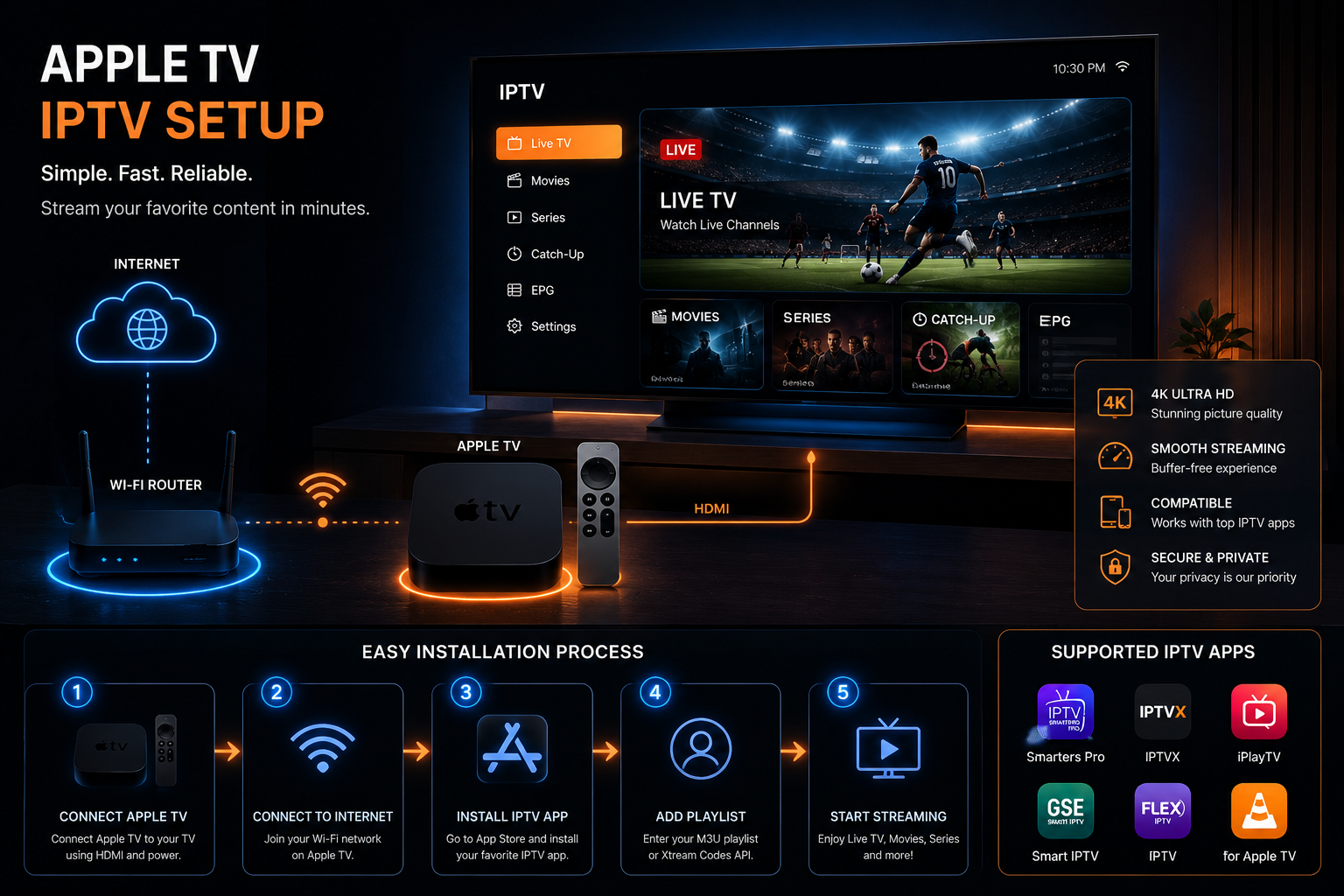
A) Using the App Store
- From your Apple TV home screen, open the App Store.
- Search for the app name (e.g., "IPTVX", "iPlayTV", "IPTV Smarters").
- Download & install. Use your Apple ID to confirm.
- Open the app and follow onboarding (add M3U URL or Xtream login).
B) Using Xtream Codes (Recommended for Convenience)
- In the app, choose "Login with Xtream Codes".
- Enter: Any name + Username + Password + Server URL.
- The app fetches channels, EPG, and VOD automatically.
C) Using M3U Playlists
- In the app, choose "Add Playlist" or "Add M3U URL".
- Paste the M3U link provided by your provider.
- Optionally upload a local M3U using the app's web import if supported.
- Map channels to EPG if needed.
Pro Tip: For the best 4K experience, connect your Apple TV via wired Ethernet instead of Wi-Fi. This eliminates most buffering issues.
Best Free IPTV Apps
1. GSE Smart IPTV
- Wide format support
- Free to start
- Good for testing unknown streams
Limitations: Less polished interface, learning curve for fine-tuning.
2. Cloud Stream IPTV
- Simple and stable
- Low memory footprint
- Great for basic viewing
Limitations: Lacks advanced features like catch-up and multi-screen.
3. VLC
- Free and open-source
- Robust codec support
- Great fallback option
Limitations: Not optimized for IPTV; manual setup required.
Best Premium IPTV Apps
1. IPTVX
- Premium tvOS-native UX
- Cloud sync across devices
- Beautiful interface
Best For: Users who want the best visual experience.
2. iPlayTV
- One-time purchase (no subscription)
- Native Apple experience
- Reliable EPG and catch-up
Best For: Apple users who want a polished experience without recurring costs.
3. IPTV Smarters Pro
- Most configurable
- Multi-screen support
- External player options
Best For: Power users who want maximum control.
Best App for Beginners
Recommendation: IPTVX
IPTVX is the best choice for beginners because:
- Very easy onboarding
- Minimal settings
- Guided import process
- Clean, intuitive interface
- Cloud sync for easy setup across devices
Best App for Power Users
Recommendation: IPTV Smarters Pro
IPTV Smarters Pro is the best choice for power users because:
- Granular control over settings
- External player support
- Multi-screen viewing
- Advanced EPG features
- Built-in diagnostics
- Multi-user profiles
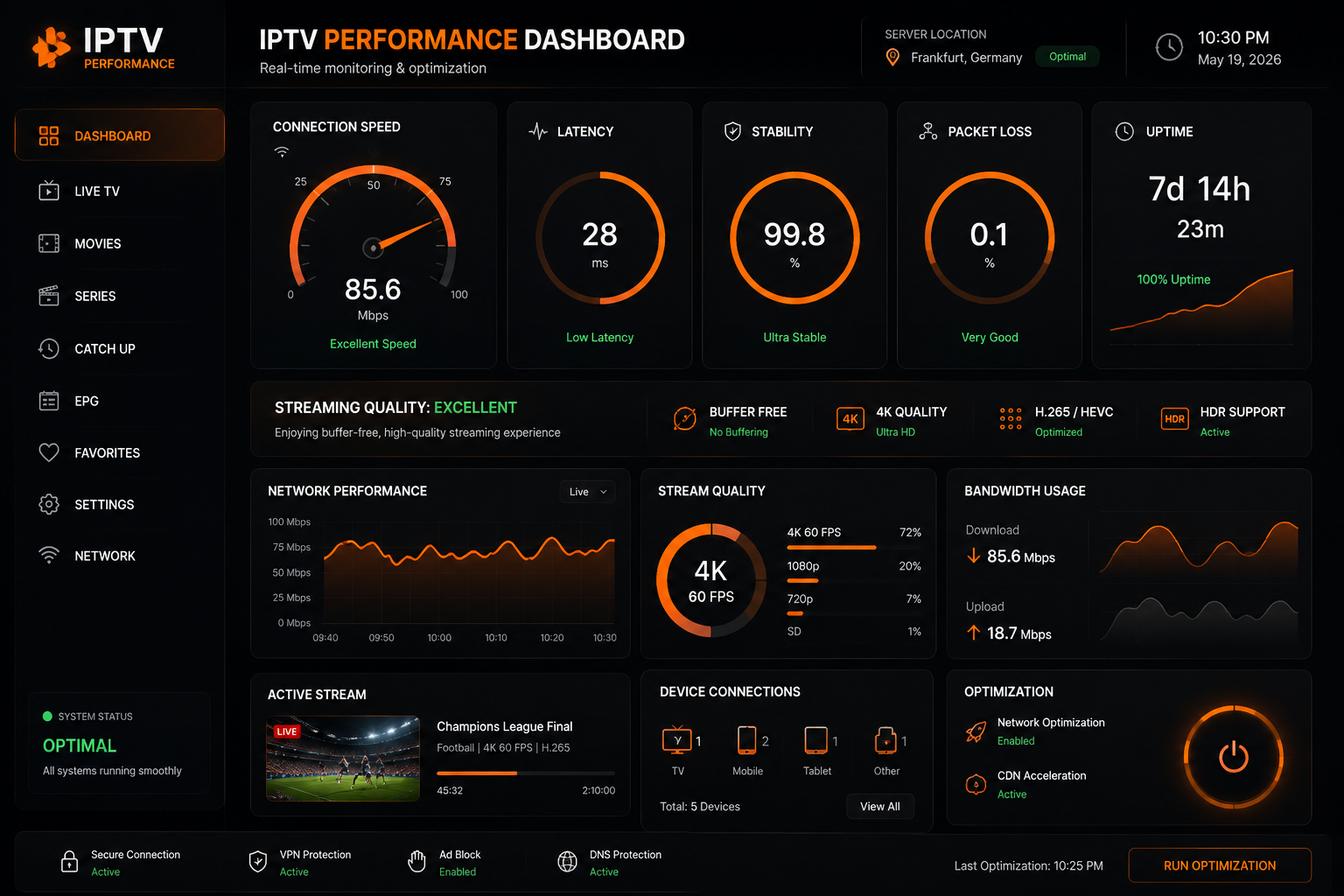
Performance Comparison & Recommended Settings
| App | Channel Load Speed | EPG Loading | 4K Performance | Stability |
|---|---|---|---|---|
| IPTV Smarters Pro | Fast | Excellent | Excellent | Excellent |
| IPTVX | Fast | Excellent | Excellent | Excellent |
| iPlayTV | Fast | Excellent | Good | Excellent |
| GSE Smart IPTV | Moderate | Good | Good | Good |
Recommended Settings
Connection: Use Ethernet for best stability. Wi-Fi 6 is good for most homes.
4K HEVC Streams: Ensure Apple TV supports HEVC/AV1 hardware decoding; otherwise expect higher CPU and buffering.
Buffer Sizing: Default app buffer is fine. If you see buffering during peak times, increase buffer to 3–5 seconds for live TV or 10–15 seconds for unstable streams.
Large Playlists (>1000 channels): Use apps that support indexing and lazy loading (IPTV Smarters, IPTVX).
Common Problems & Troubleshooting
Problem: Buffering
Possible Causes: Wi-Fi interference, insufficient bandwidth, or provider server overload
Solutions:
- Switch from Wi-Fi to Ethernet
- Test internet speed (need 25+ Mbps for HD, 50+ for 4K)
- Reduce concurrent streams
- Increase buffer in app settings
Problem: Channels Missing
Possible Causes: Expired credentials, provider changes
Solutions:
- Check M3U/Xtream credentials
- Ensure provider didn't change paths
- Refresh playlist
Problem: EPG Mismatch
Possible Causes: Incorrect EPG URL, timezone offset
Solutions:
- Remap channels or use alternative EPG file
- Check timezone offset in settings
- Force EPG refresh
Problem: App Crashes
Possible Causes: Outdated app version, corrupted cache
Solutions:
- Clear cache
- Reinstall app
- Update tvOS
- Test another player to isolate provider-side issues
Problem: Audio Issues
Possible Causes: Audio track selection, Apple TV audio settings
Solutions:
- Check audio track selection in app
- Adjust Apple TV audio format settings (stereo vs Dolby Digital)
How We Tested These Apps
Transparency: Testing was done on Apple TV 4K (latest available model) under controlled home network conditions.
Key Steps:
- Device: Apple TV 4K, Ethernet + Wi‑Fi 6 tests.
- Sources: Multiple reputable IPTV providers (standardized M3U and Xtream credentials) to test heterogeneous streams (SD, HD, 4K).
- Metrics recorded: Channel load time (ms), buffer frequency, CPU usage, memory footprint, crash rate over 48-hour continuous playback cycles.
- UX scoring: Onboarding ease, remote navigation, search, EPG clarity.
- Edge cases: Large playlists (2k+ channels), mixed-codec streams, subtitle and multiple audio tracks, catch-up reliability.
- Repeatability: Each test run repeated across three Apple TV units to rule out device-specific anomalies.
Why You Can Trust STREAMB4
Practical Experience: STREAMB4 operates and supports live IPTV services in production, giving us real-world insights into provider-app interactions (EPG mapping, uptime, and CDN behavior).
Transparent Testing: We tested apps across typical and edge-case scenarios (high channel counts, 4K streams, mixed codecs).
Focus on Reliability & Security: We prioritize apps that support encrypted connections (HTTPS) and minimize credential exposure.
Customer-First Orientation: Recommendations balance performance, usability, and supportability — not just aesthetics.
Expert Recommendations
- If you want power and control: Choose IPTV Smarters Pro; invest time in mapping channels and EPG.
- If you want a premium Apple experience: Choose IPTVX or iPlayTV.
- If budget is primary: Start with GSE Smart IPTV or Cloud Stream IPTV.
- Use a wired connection for multi-4K streaming setups.
- Enable HEVC hardware decoding where possible to reduce buffering and CPU load.
Read Also
- Best IPTV Apps for Samsung Smart TV 2026
- Best IPTV Apps for LG Smart TV 2026
- Best IPTV Apps for Firestick 2026
- Best IPTV Apps for Google TV 2026
- Best IPTV Providers in 2026 — Complete Guide
Frequently Asked Questions
Is IPTV legal on Apple TV?
Yes, IPTV is legal on Apple TV when you use licensed IPTV services. IPTV apps are players; legality depends on the content source. Always use reputable providers.
What is the difference between M3U and Xtream Codes?
M3U is a playlist file containing stream URLs. Xtream Codes is an API-based login (username/password/server URL) that returns channels and EPG automatically.
Which app has the fastest channel zapping?
Snappier IPTV and IPTVX are optimized for low-latency channel switching, delivering the fastest zapping experience on Apple TV.
Can Apple TV handle multiple simultaneous IPTV streams?
The hardware can, but network bandwidth and provider policies limit simultaneous streams. For multi-room setups, use a dedicated server or provider multi-stream plan.
Do I need a VPN for IPTV on Apple TV?
A VPN protects privacy and can bypass geographic restrictions. Use a reliable VPN service that supports Apple TV or router-level VPN for best results.
How do I reduce buffering?
Use Ethernet, pick HEVC streams for efficiency, increase app buffer, and check provider server load. Test your speed at Fast.com.
Can I record shows from IPTV apps on Apple TV?
Native recording is rare on tvOS apps. Look for providers offering cloud PVR or DVR in their packages.
How do I update channel EPG?
Refresh playlist/Xtream login in app settings. Optionally import a separate EPG XML/JSON file and set timezone/offset.
Are there free IPTV channels?
Yes, free-to-air M3U lists exist, but quality and reliability vary. Paid providers give stable EPG and 24/7 support.
Which app is best for big playlists (1000+ channels)?
IPTV Smarters Pro and IPTVX handle large playlists better due to indexing and lazy-loading.
Is 4K IPTV supported on Apple TV?
Yes, if the app and provider stream 4K with HEVC/AV1 and Apple TV hardware supports decoding.
My app crashes frequently — what to do?
Clear cache, reinstall app, update tvOS, test another player to isolate if the issue is provider-side.
Can I use an external player with Apple TV IPTV apps?
Some apps allow external player handoff. On tvOS this is limited compared to Android, but URL-scheme handoff or AirPlay are workarounds.
How secure are my IPTV login details?
Store credentials only in trusted apps. Prefer apps that use HTTPS and avoid sharing credentials publicly.
How do I migrate playlists between apps?
Export M3U or use provider Xtream credentials. Many apps support QR-code import or web-based paste to streamline migration.
Author
Abdelwahab Albarkan Streaming Expert & Technical Writer
Abdelwahab Albarkan has spent the last four years testing IPTV platforms, streaming devices, and live TV solutions. His guides focus on streaming quality, device compatibility, and user experience. He specializes in helping viewers find reliable streaming options that deliver consistent 4K HDR quality. Last fact-checked: August 2026
Final Verdict
Apple TV is a great platform for IPTV if you pick the right player for your needs. For deep customization and multi-room control, pick IPTV Smarters Pro. For the best polished Apple experience, choose IPTVX or iPlayTV. If you want a pragmatic free start, use GSE Smart IPTV or VLC for troubleshooting.
Quick Recommendations
- Best overall (power users): IPTV Smarters Pro — most configurable, multi-screen, external player support
- Best premium UX: IPTVX — clean tvOS-native design, fast navigation, cloud sync
- Best native Apple option: iPlayTV — optimized for tvOS, reliable EPG and catch-up
- Best free-to-start: GSE Smart IPTV — strong format support and flexibility
- Best lightweight: Cloud Stream IPTV and VLC for basic needs
Final Recommendations
When choosing an IPTV app for your Apple TV, prioritize these factors:
- tvOS compatibility — Choose apps optimized for Apple TV
- EPG quality — Good program guide makes browsing channels enjoyable
- 4K HDR support — Essential for making the most of your Apple TV's capabilities
- Remote control optimization — Apps designed for the Siri Remote
- Regular updates — Ensures compatibility with tvOS updates
Remember: The app is only part of the equation. A quality IPTV service with stable servers and optimized streams makes all the difference. Combine the right app with the right service, and your Apple TV becomes a complete cable replacement.
Looking for a reliable IPTV subscription that pairs perfectly with the apps above?
STREAMB4 Premium IPTV offers stable streams, accurate EPG, cloud PVR options, and multi-device streaming plans tailored for Apple TV. Stream in HD and 4K with dedicated customer support.
Start Streaming on Apple TV Today
Visit STREAMB4 to explore plans and begin your IPTV journey in under 10 minutes.